Enhancements to Ledger Activity Details Report (Dynamic)
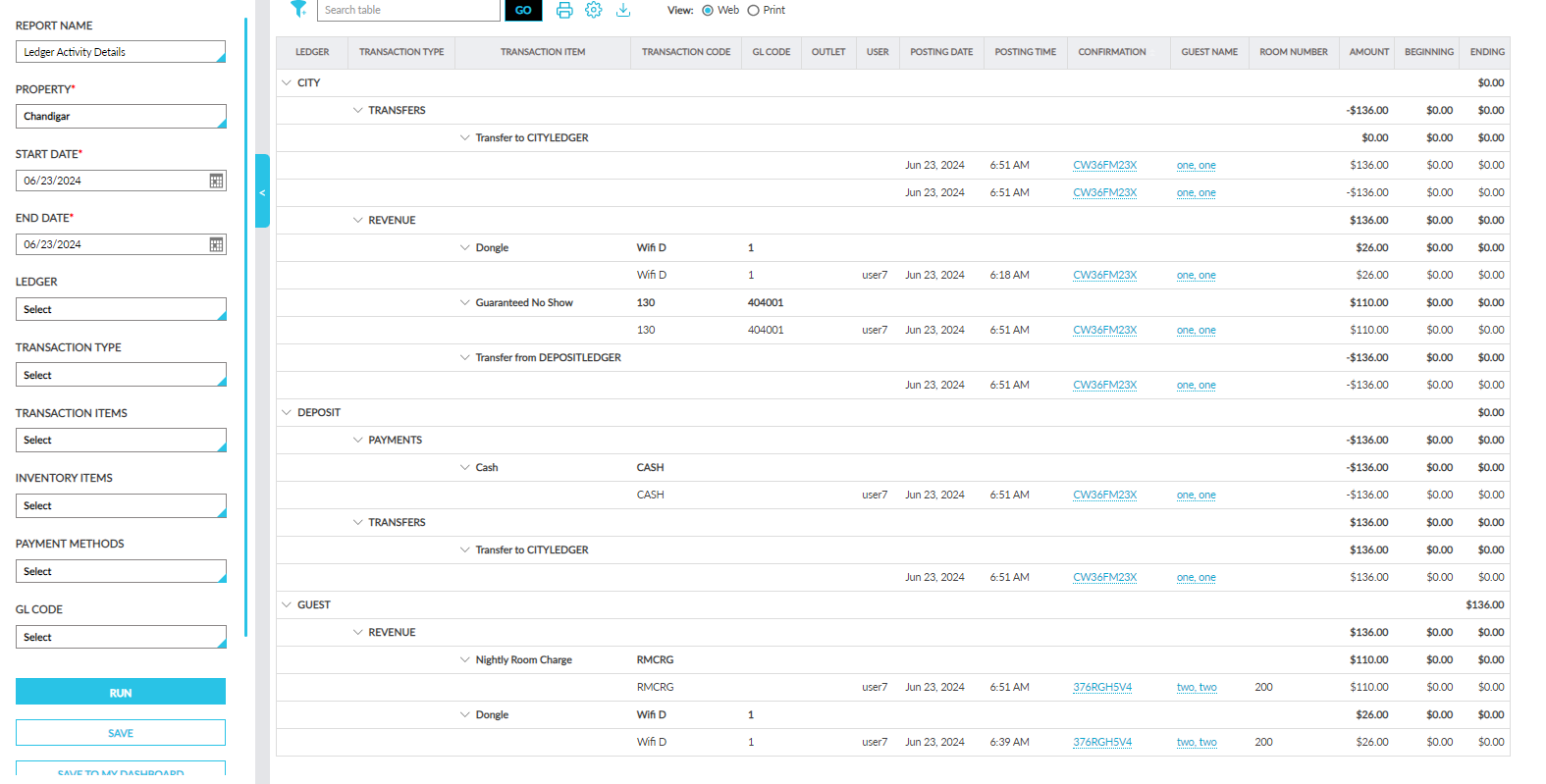
The following new report generation parameters have been added to the Ledger Activity Details Report (Dynamic):
|
Parameter |
Description |
|---|---|
|
End Date |
This date picker displays the date that is a day prior to the current property date by default. Users can select past dates. Future dates cannot be selected. |
|
Ledger |
This is a multi-select drop-down list that displays the following options:
By default, no option is selected. Users must select the ledgers to be included in the generated report. When no option is selected, all ledgers are included in the generated report. |
|
Transaction Type |
This is a multi-select drop-down list that displays the following options:
By default, no option is selected. Users must select the transaction types to be included in the generated report. When no option is selected, all transaction types are included in the generated report. |
|
Transaction Items |
This is a multi-select drop-down list that displays the transaction items available at the property. By default, no option is selected. Users must select the transaction items to be included in the generated report. When no option is selected, all transaction items are included in the generated report. |
|
Inventory Items |
This is a multi-select drop-down list that displays the inventory items available at the property. By default, no option is selected. Users must select the inventory items to be included in the generated report. When no option is selected, all inventory items are included in the generated report. |
|
Payment Methods |
This is a multi-select drop-down list that displays the payment methods available at the property. By default, no option is selected. Users must select the payment methods to be included in the generated report. When no option is selected, all payment methods are included in the generated report. |
|
GL Code |
This is a multi-select drop-down list that displays the GL codes configured by the property. By default, no option is selected. Users must select the GL codes to be included in the generated report. When no option is selected, all GL codes are included in the generated report. |
Add to Generated Report
When users click the newly added Add to Generated Report button in the report generation parameters section of the Ledger Activity Details Report (Dynamic), the Confirmation pop-up screen appears that displays the following message: Report generation will start now and report will be available in Generated Report section after few minutes. Please download from there within three days. Are you sure want to proceed?
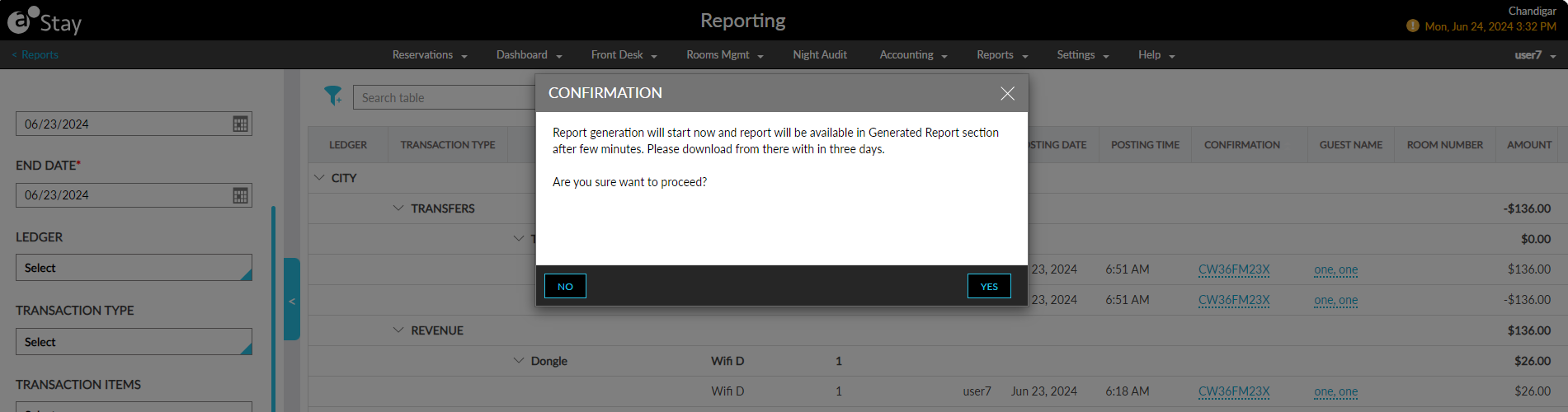
When users click Yes, the report is generated and added to the Generated Reports section of the Reporting screen (Reports ➜ Reports ➜ Generated Reports).
Export CSV with Headers
A new option, CSV with Headers, has been added to the export icon displayed in the Ledger Activity Details Report (Dynamic). When clicked, the generated report is exported as a CSV file that contains a record created for each transaction item posted for a transaction type in a ledger.